> For the complete documentation index, see [llms.txt](https://docs.nalpeiron.com/llms.txt). Markdown versions of documentation pages are available by appending `.md` to page URLs; this page is available as [Markdown](https://docs.nalpeiron.com/enterprise-security/security-and-platform-details/application-security-sast.md).
# Application Security (SAST)
Learn how Nalpeiron secures application activation, webhook signatures, and API authentication, including its SAST code-scanning process and cybersecurity assessment reports.
Security is a top priority for Nalpeiron. We use various methods to protect your data from unauthorized access and tampering, including our own tools and those of third-party security providers. These tools continuously monitor our cloud infrastructure for potential misconfigurations. In addition, we have a suite of automated tests (unit and integration) that are automatically executed after each commit to the repository and block deployments if a fault is detected.
Further, we maintain various systems that continuously monitor everything from the software pipeline to our infrastructure in layers to prevent problems and security issues.
Nalpeiron uses robust security checks on our Repository, Cloud, Container, and Domain.
Our tools integrate with our compliance suite, Drata for SOC2.
#### SAST
Nalpeiron runs a SAST engine based on best-in-class open-source scanners. This module aims to find security issues in our code and run reports for our Customers' cybersecurity reviews.
#### Reports
We can generate reports that can be used as part of your cybersecurity assessment. The documents include SBOM (Software Bill of Material) and SAST (Static Application Security Testing is performed automatically on all production repositories and docker containers) reports that form part of our Software Development Lifecycle.
To request the latest **Nalpeiron security audit report**, follow the Help menu in Zentitle2, where you can **create a Support Ticket** and ask for a secure link to the latest reports.
## Application Security
Nalpeiron uses various unique parameters in the verification process.
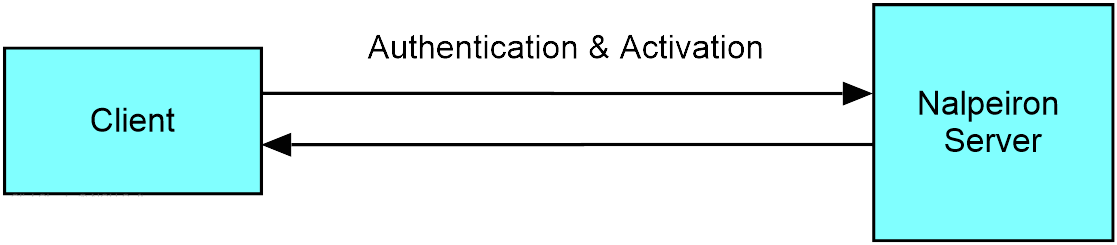
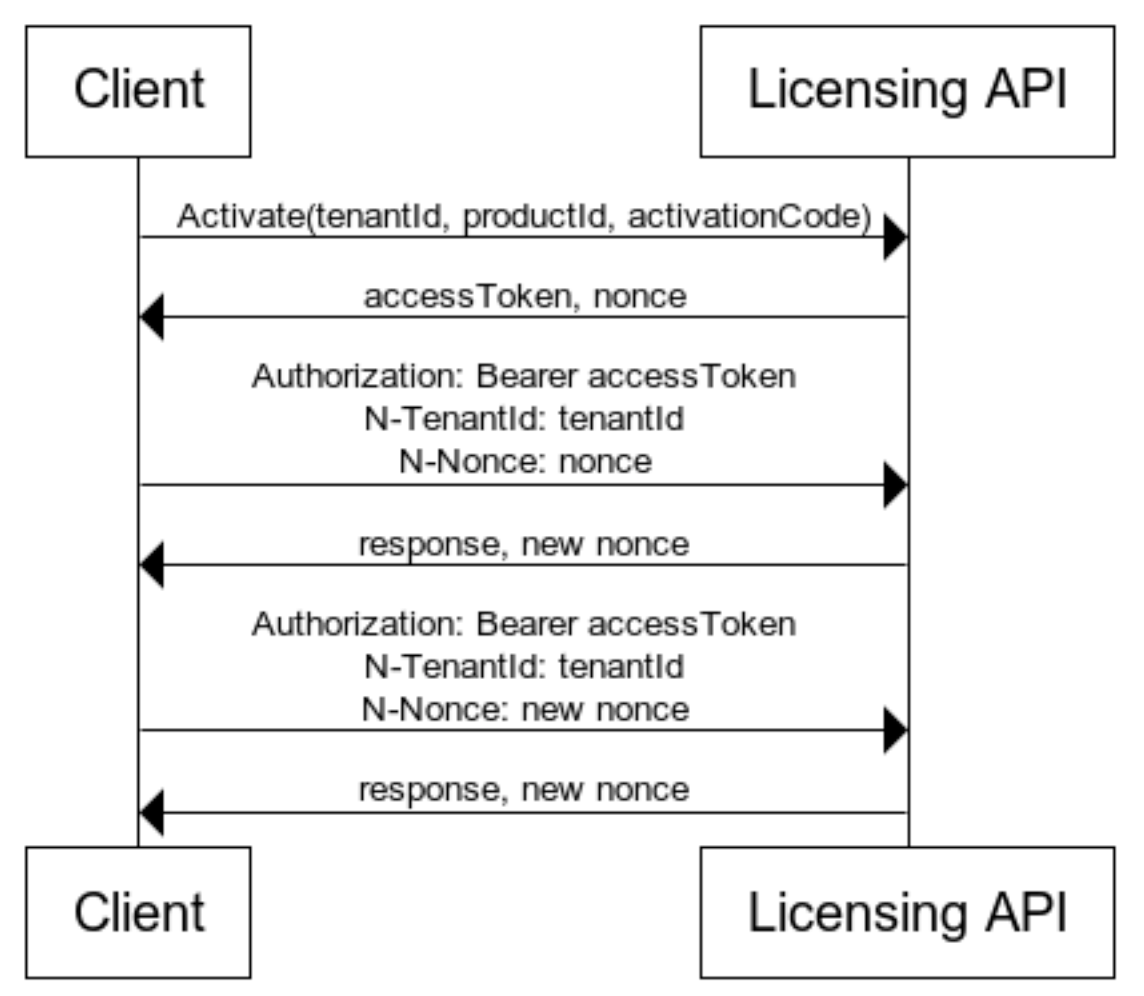
The client application is verified based on using a Nalpeiron-issued tenant ID & product ID (these are embedded in the app client code) and the activation code (license code) issued to an end user (customer) that is private to the application user.
The development process embeds the tenant ID & product ID in the application (see our licensing client examples), and the activation code unlocks the transaction, acting like a password in the process. The Licensing API processes the various unique components and responds with the access token, which is then used to authenticate refresh requests.
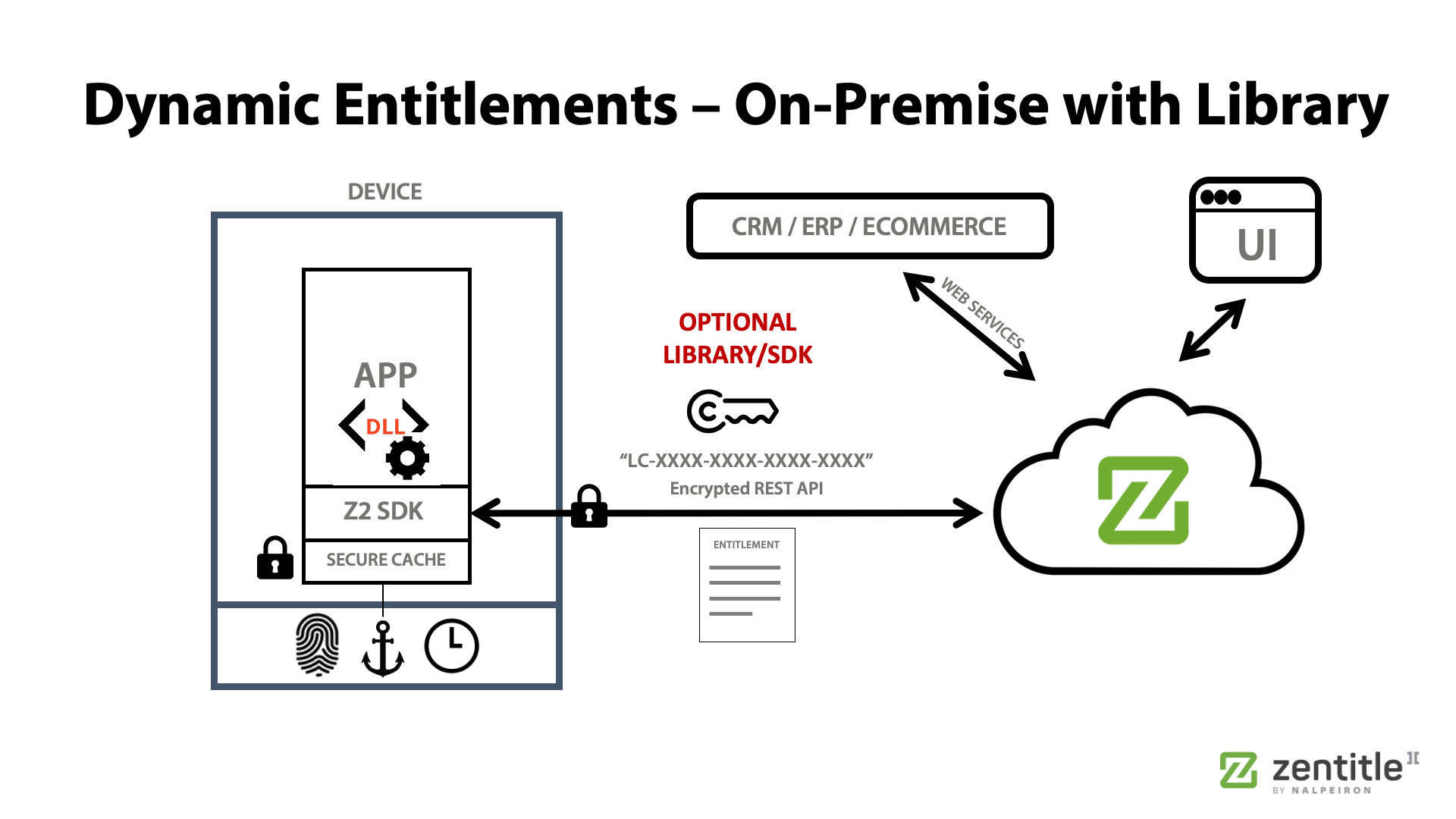
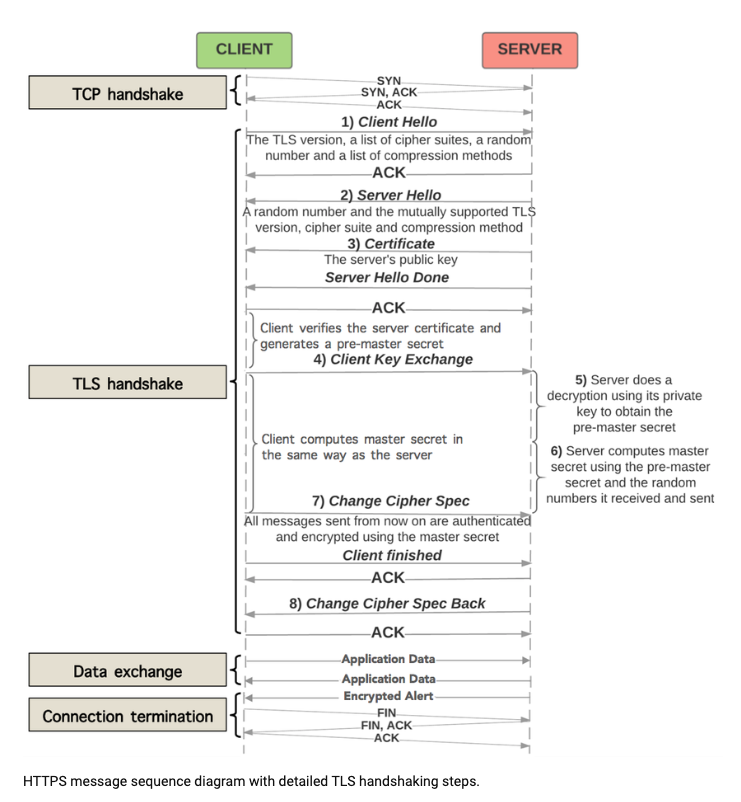
Additionally, all communication takes place over a secure HTTPS connection.
### Application Activation Process
Our APIs use SSL endpoints with valid certificates to establish secure connections.
This way, we guarantee that data is encrypted in transit and can not be tampered with or listened to.
### Offline activation process
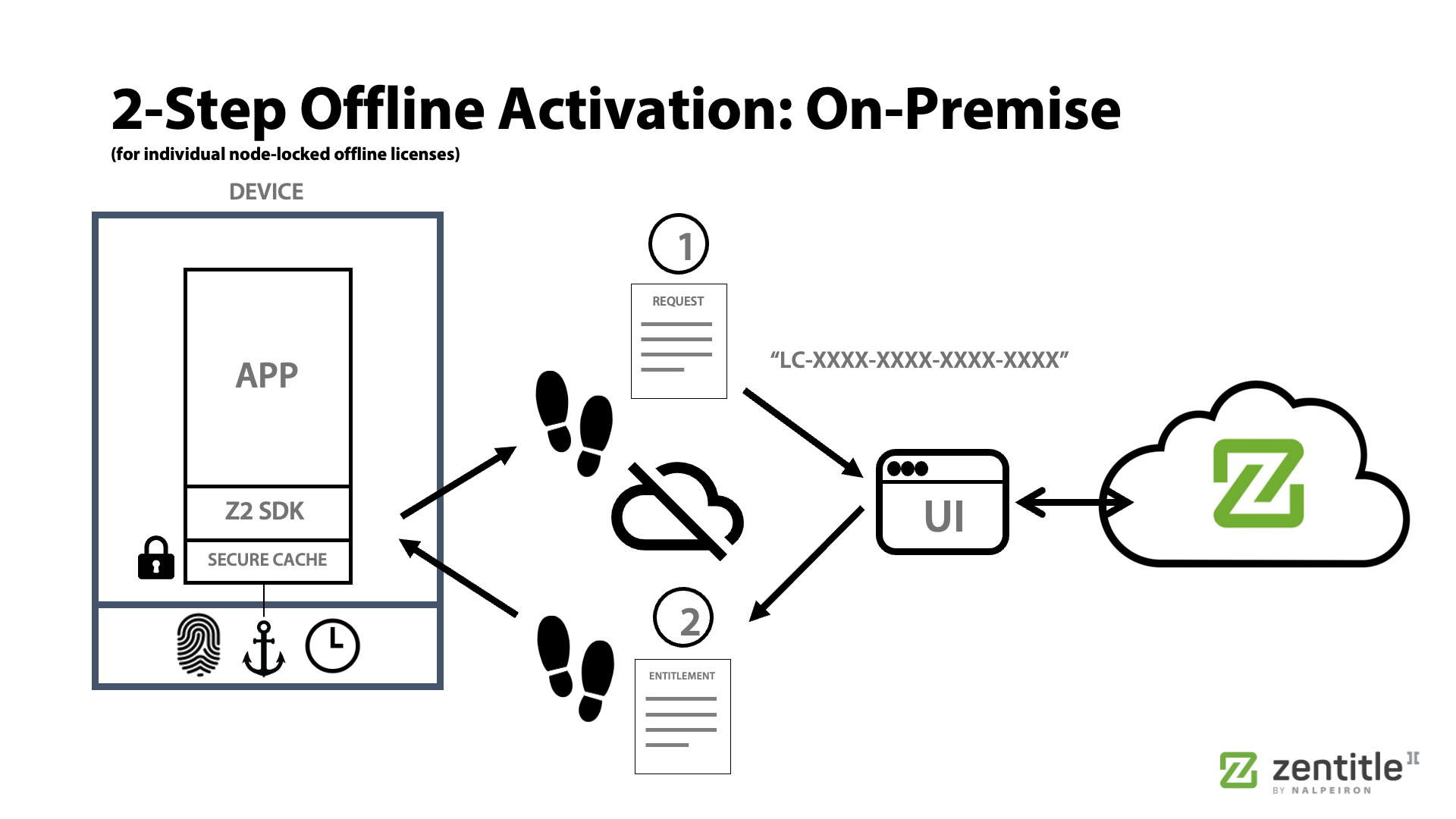
We generate a key pair on the client for offline activation to perform a two-way token exchange.
The public key is available on the API Credentials page and can be used for encryption and verification. The private keys are kept secret and stored in an encrypted database in our highly secure infrastructure.
First, the application creates a new key pair. The public key is embedded in the offline activation request and encrypted using the server's public key. Next, on the server, we decrypt the request, perform the activation, and encrypt the response using the client's public key. This way, only the client can decrypt this message.
### Webhook payload signature
We use asymmetric encryption with unique key pairs for each customer.
Webhook payloads are signed with the private key stored in our system, and this signature can be verified using the public key to prove that the webhook call is coming from the Zentitle2 system.
### Management API
The Nalpeiron Management API uses OAuth2 over HTTPS to manage authentication and authorization.
OAuth2 is an open standard for authorization that enables applications to access resources from other apps or services securely. We use `client_credentials` in the API.
### Licensing API
The Nalpeiron Licensing API doesn't use OAuth2 to authenticate requests. Instead, authentication is based on tenantId, productId, and entitlement Activation Code. The first call to the `Activate` endpoint returns an access token, which is used in later requests.
We also use the concept of Nonce. It's a random value generated and returned in headers with each call and must be sent in headers in the next call to the API.
See our API docs for more details on authentication:
* - licensing API (OnPrem)
* - management API (SaaS & backoffice integration)
#### HTTPS data exchange explained:
{% hint style="success" %}
### Article interesting? Test drive the Nalpeiron Growth Platform.
Get a FREE Trial of The Nalpeiron Growth Platform
{% endhint %}
---
# Agent Instructions
This documentation is published with GitBook. GitBook is the documentation platform designed so that both humans and AI agents can read, navigate, and reason over technical content effectively. Learn more at gitbook.com.
## Querying This Documentation
If you need additional information that is not directly available in this page, you can query the documentation by asking a question.
Perform an HTTP GET request on the following URL with the `ask` and `goal` query parameters:
```
GET https://docs.nalpeiron.com/enterprise-security/security-and-platform-details/application-security-sast.md?ask=&goal=
```
`ask` is the immediate question: it should be specific, self-contained, and written in natural language.
`goal` is what the user is ultimately trying to achieve, the reason they need the answer. Sharing it helps GitBook give you a better, more relevant answer. A goal is most helpful when it describes the outcome the user wants rather than restating the question. For example, with `ask=how do I create an API token`, a goal like `automate deployments from our CI pipeline` lets GitBook tailor the answer to that use case.
The response will contain a direct answer to the question and relevant excerpts and sources from the documentation.
Use this mechanism when the answer is not explicitly present in the current page, you need clarification or additional context, or you want to retrieve related documentation sections.